Modern web applications are highly interactive. We build filtering systems, pagination, search, sorting, tab navigation, dashboards, and much more. But there’s one important detail many developers overlook:
Where should that UI state live?
If your page has filters or pagination, that state should often live in the URL.
In this article, we’ll explore:
- What
nuqsis - Why it exists
- What problems it solves
- Why it’s especially useful in Next.js (App Router)
- When you should and shouldn’t use it
This article is written for beginner to intermediate Next.js developers who want to build more production-ready applications.
What is nuqs?
nuqs stands for Next URL Query State.
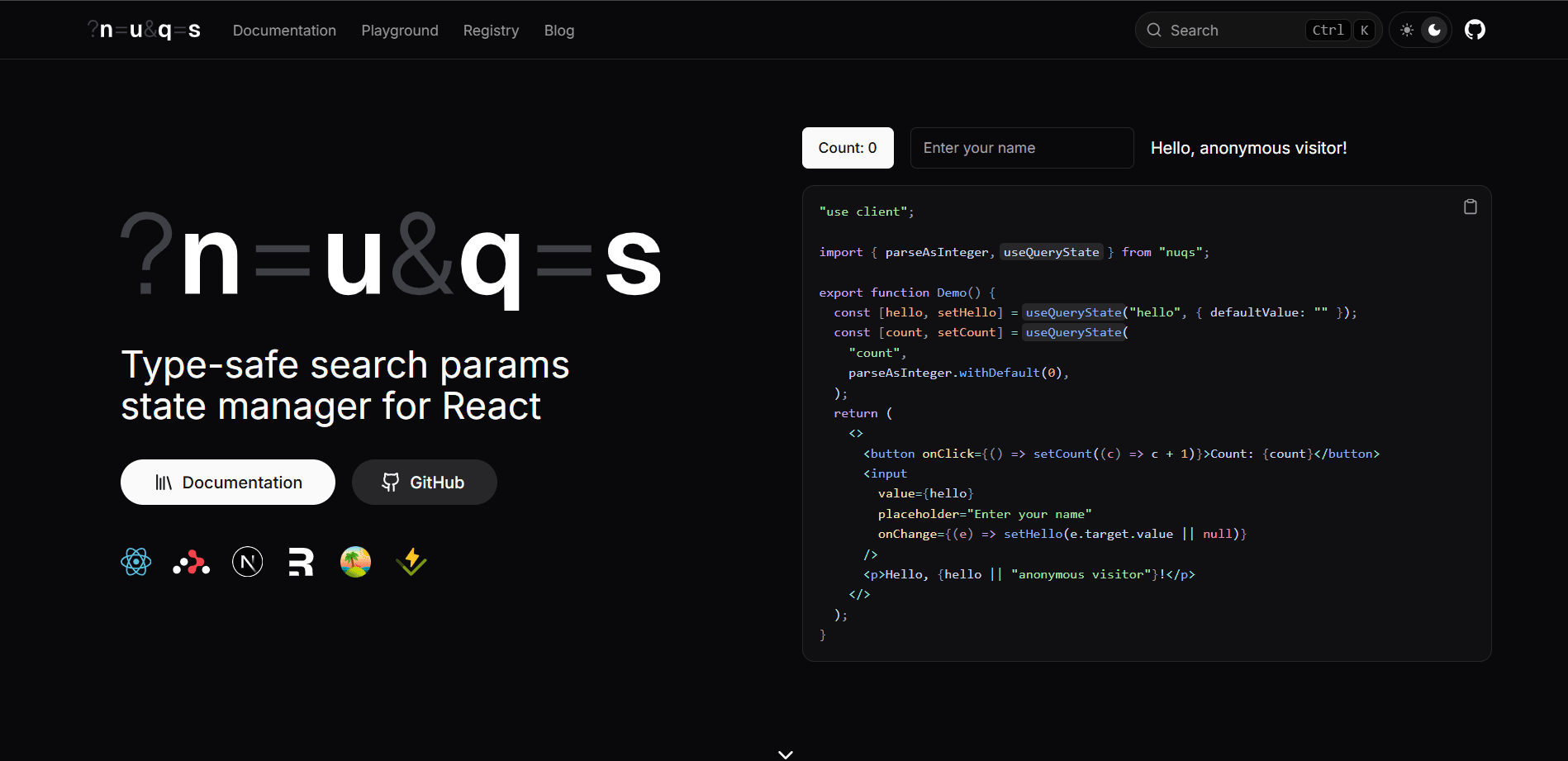
It’s a lightweight library that lets you manage URL query parameters as React state in a clean, type-safe way.
In simple terms:
nuqsallows you to treat URL search params like React state — without writing repetitive and error-prone code.
Instead of manually working with:
useSearchParamsuseRouterrouter.pushURLSearchParams- String parsing
- Type conversion
You can write something like:
const [page, setPage] = useQueryState("page", parseAsInteger);Now:
pageis synced with the URL- It’s type-safe
- It updates without a full reload
- It works smoothly with Next.js App Router
Why Does nuqs Exist?
Let’s look at how we typically manage query parameters in Next.js without nuqs.
const searchParams = useSearchParams();
const router = useRouter();

const page = Number(searchParams.get("page") ?? 1);

const updatePage = (newPage: number) => {
  const params = new URLSearchParams(searchParams.toString());
  params.set("page", newPage.toString());
  router.push(`?${params.toString()}`);
};
This works — but it has several issues.
Problems with the manual approach
- Manual parsing using
Number()orBoolean() - Repeated boilerplate in every component
- Easy to introduce bugs
- No built-in type safety
- Hard to scale when you have multiple filters
- Syncing multiple query params becomes messy
As your app grows, this pattern becomes difficult to maintain.
nuqs exists to remove this complexity and make query state management predictable and clean.
What Problems Does nuqs Solve?
1. Type Safety
Query parameters are strings by default.
If you do this:
Number(searchParams.get("page"));You’re manually converting and hoping the value is valid.
With nuqs:
const [page, setPage] = useQueryState("page", parseAsInteger);Now:
pageis automatically a number- Invalid values fall back safely
- The code is easier to read and maintain
This becomes more valuable as your query parameters increase.
2. State ↔ URL Synchronization
In modern applications, UI state should often be shareable.
Common examples:
- Filters
- Sorting
- Pagination
- Tabs
- Search
- Modals
If this state is not stored in the URL:
- Refreshing the page resets it
- You cannot share the exact state via a link
- Back/forward navigation behaves unexpectedly
nuqs keeps React state and the URL in sync automatically:
React State <--> URLThis makes your application feel more stable and predictable.
3. Better UX with Next.js App Router
In Next.js App Router:
useSearchParams()is read-only- Updating the URL requires
router.push - Incorrect usage can cause unnecessary re-renders
nuqs abstracts this logic and handles shallow updates cleanly.
Instead of manually managing URLSearchParams, you work with simple state setters.
4. Cleaner Code for Complex Filtering
Imagine a product listing page with multiple filters:
?page=2
&sort=price
&category=laptop
&minPrice=1000
&maxPrice=5000
&inStock=true
Managing this manually becomes complicated.
With nuqs, you can write:
const [page, setPage] = useQueryState("page", parseAsInteger);
const [sort, setSort] = useQueryState("sort");
const [inStock, setInStock] = useQueryState("inStock", parseAsBoolean);
Each query parameter behaves like a normal React state variable.
The logic becomes modular and easy to reason about.
Why We Need It Specifically in Next.js
This is where nuqs becomes especially powerful.
App Router is URL-driven
Next.js App Router encourages:
- Server Components
- Streaming
- Data fetching based on URL
Example:
export default async function Page({ searchParams }) {
  const data = await fetchProducts(searchParams);
}
Here, the URL directly controls the data.
That means:
- The URL becomes the source of truth
- Query params determine what gets rendered
If the URL controls your data, managing it properly is critical.
Server and Client Synchronization
In Next.js:
- Server components read
searchParams - Client components update filters
Without structured handling:
- You may get hydration mismatches
- Data refetching becomes inconsistent
- State can go out of sync
nuqs helps keep this predictable by standardizing how query parameters are read and updated.
Shareable UI State (Production Reality)
In real-world SaaS applications:
- Admin dashboards
- Analytics pages
- Data tables
- Search systems
Users expect:
- Bookmarkable filters
- Shareable URLs
- Working back/forward navigation
If someone shares a dashboard link, the recipient should see exactly the same filtered view.
This is not optional in production-grade apps.
Using nuqs helps you build applications that behave like professional SaaS products.
When Should You Use nuqs?
You should use nuqs when:
- You have filters
- You have pagination
- You have sorting
- You want shareable URLs
- You are using Next.js App Router
- You want clean, type-safe query management
You probably don’t need it when:
- The page is static
- There are no query parameters
- There is no dynamic UI state tied to the URL
Like any tool, it should solve a real problem — not be added unnecessarily.
Manual Approach vs nuqs
Manual approach
- Verbose
- Repetitive
- Error-prone
- Harder to scale
nuqs approach
- Cleaner
- Type-safe
- Declarative
- Easier to maintain
The difference becomes more obvious as your app grows in complexity.
Final Thoughts
Managing URL state properly is a small detail that makes a big difference in real-world applications.
When:
- The URL reflects UI state
- The URL drives data fetching
- The URL is shareable and bookmarkable
Your application becomes more robust and user-friendly.
nuqs is not a magic tool, but it solves a very specific and common problem in Next.js applications: clean and predictable query state management.
If you're building dashboards, filterable listings, admin panels, or search-heavy pages in Next.js, it’s worth considering.